Nine systems that work together in the order of a real order’s journey through your restaurant: from scanning the code at the table to the profit report at the end of the night. Get to know each one in detail.
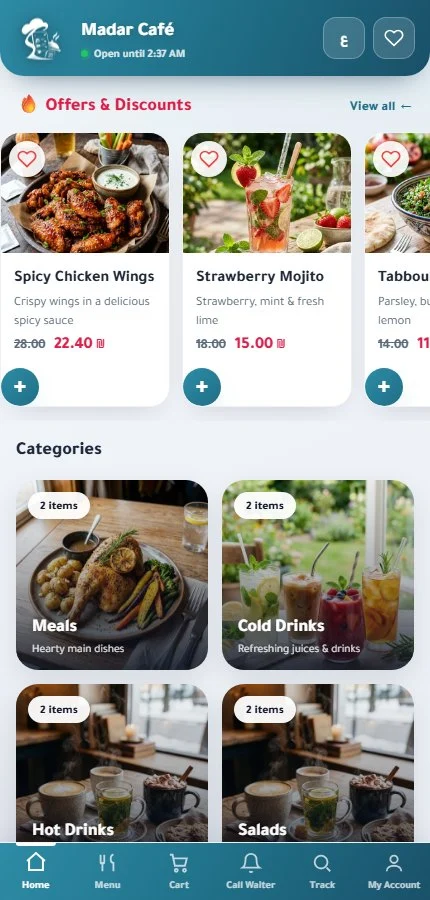
Your customer scans the code at the table and the menu opens with your photos and prices, the table number already set, and they order with no app and no waiting for a waiter. Change a price or hide a sold-out item and the menu updates instantly.
Categories and items with photos, plus sizes and add-ons that change the price
Dine-in, pickup and delivery orders, with its own fee for every delivery zone
Menu in Arabic and English, with calories shown next to each item
Installs on the customer's phone like an app, with no app store
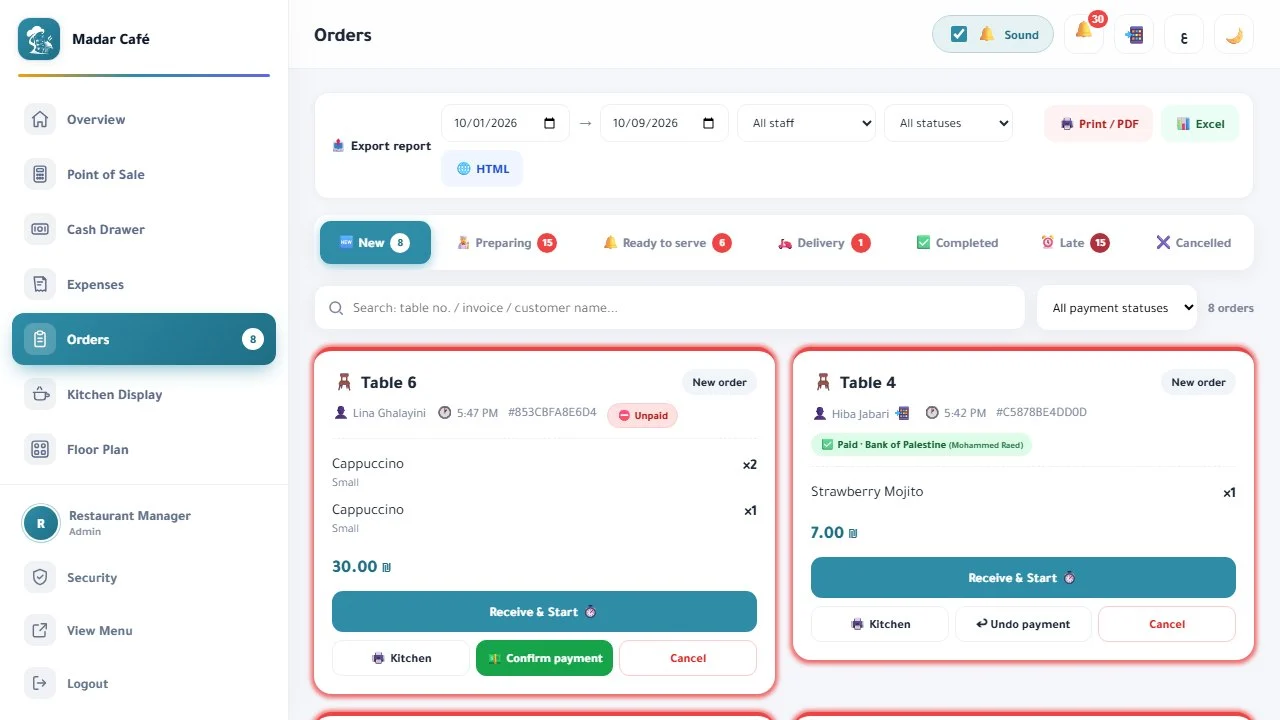
Each order on one card: the table or address, items, notes, payment status and a preparation timer. Move it from “New” to “Preparing” to “Ready” and then “Completed” with one tap.
A sound alert that repeats until the new order is accepted, plus an alert for late orders
The customer can edit or cancel the order while it's still new, and staff can cancel when needed
The customer follows the order on their phone with a live countdown
Add categories and items and edit prices from your phone, any time
New order
The alert repeats until you accept it
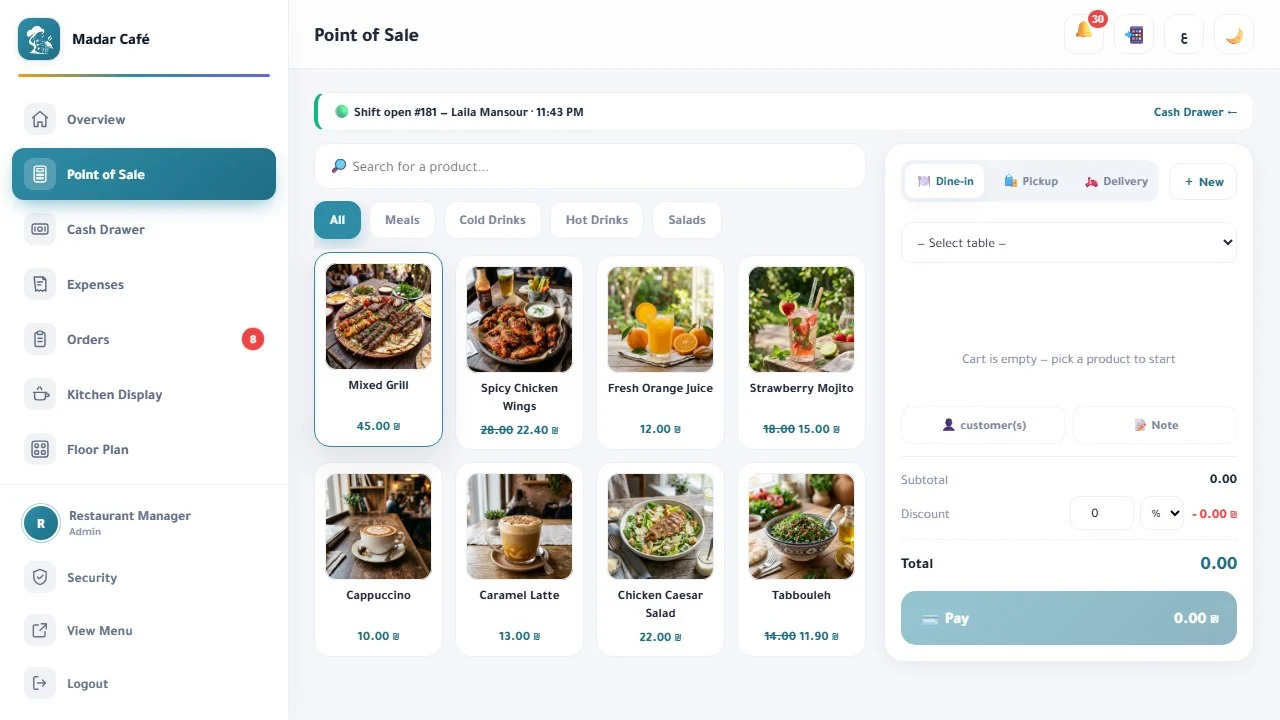
Point of sale (POS)
Sell from the POS in seconds
Items in one tap, a discount by percentage or amount, payment by cash, card or both, then a printed receipt — and the order reaches the kitchen automatically.
Split payment: part cash, part card
Link the sale to a customer: their discount applies and their wallet balance can be used
Saved invoices you can look up and reprint
VAT on the invoice, optional
Kitchen display
Your kitchen knows what to cook and in what order
The team sees every order the moment it arrives, in sequence, with a timer counting its preparation time. When it’s done, one tap marks it “Ready” and the waiter knows at once.
A timer per order, and late orders turn red
Menu, POS and delivery orders on one screen
Print a kitchen ticket (KOT) when needed
Works on any tablet or screen with a browser
Kitchen display
Table 4
04:12
2× Spicy chicken wings
1× Tabbouleh
Preparing
Table 7
00:48
2× Strawberry mojito
New
Delivery
18:30
1× Spicy chicken wings
1× Tabbouleh
Late
Ready
Waiter screen and floor map
Your whole floor in front of you
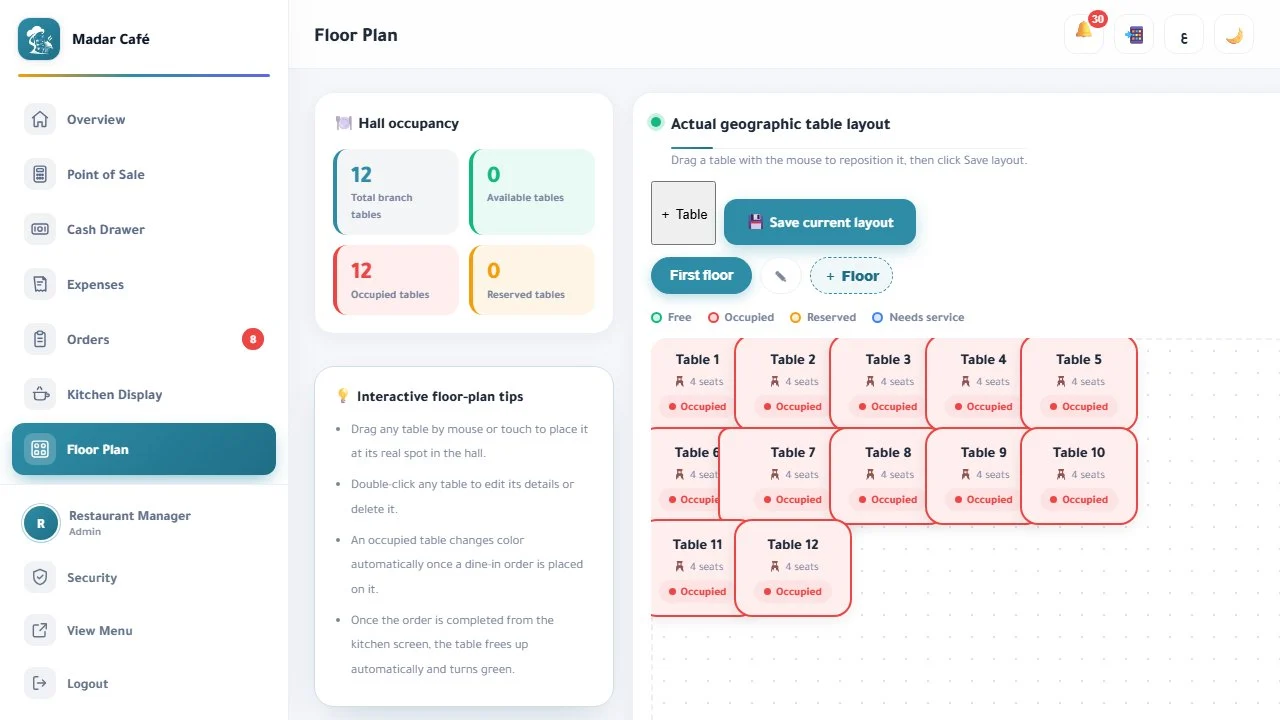
The waiter sees ready orders and table calls as they happen, delivers each order to its table, then marks it “Delivered”. You draw your own floor, so you know the state of every table at a glance.
A “Call the waiter” button in the menu goes straight to the waiter screen
A floor map you draw by drag and drop
Every table colour-coded by status: free, occupied, reserved, needs service
A ready order appears for the waiter the moment the kitchen marks it
Table 9 is calling the waiter
From the menu button on the customer's phone
Delivery management
Organised delivery from the order to the door
Delivery orders on one screen, each handed to its driver, while the customer follows the order on a tracking link until it arrives.
Delivery zones, each with its own fee added to the order automatically
Assign the order to a driver with one tap
A tracking link for the customer with the order status, moment by moment
Delivery orders reach the kitchen alongside dine-in orders
Delivery management
Delivery order
On the way
Delivery zone: Downtown · delivery fee calculated
Driver: Ahmad
Picked up
On the way
Delivered
Tracking link ready for the customer
Cash drawer and expenses
Know your real profit, not just your sales
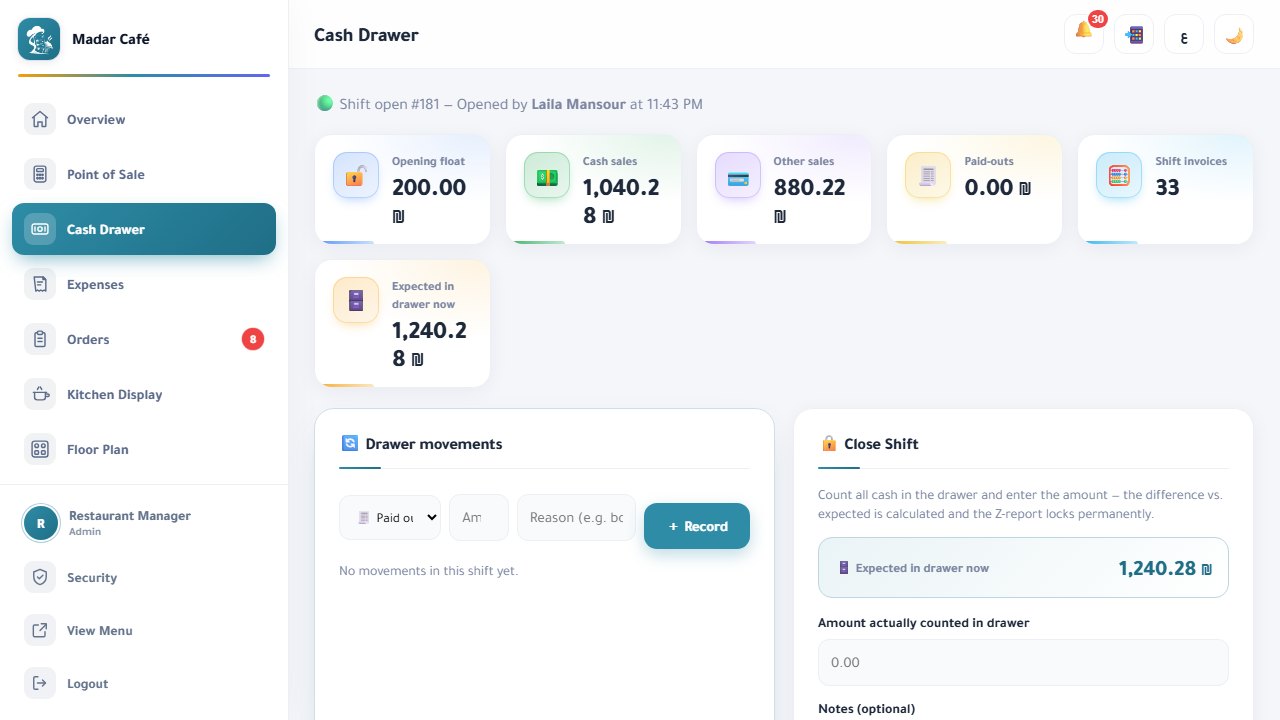
Open the shift with an opening balance and close it with a Z report that matches the drawer to what you sold. Log your expenses and the cost of every item, and Madar calculates your net profit.
Shifts with an opening balance, an X report during the shift and a Z report at close
The day's expenses logged by category
The cost and profit margin of every item
Net profit daily, weekly and monthly
Customers and loyalty
Bring your customers back
A record for every customer with their number, orders, spending and points. They collect points with every order, use their wallet balance, and see your offers inside the menu.
Loyalty points, a digital wallet and a special discount for regulars
A rating after every order: food, place and service
Offers and banners at the top of the menu
Returning and new customers, and the revenue from each group
Customers and loyalty
Abu Khaled
Regular · 10% special discount
23
Orders
340
Points
25 ₪
Wallet
Rating after the order: food · place · service
Today's offer, shown to your customers at the top of the menu
Reports
Know what sells, and when your restaurant is busiest
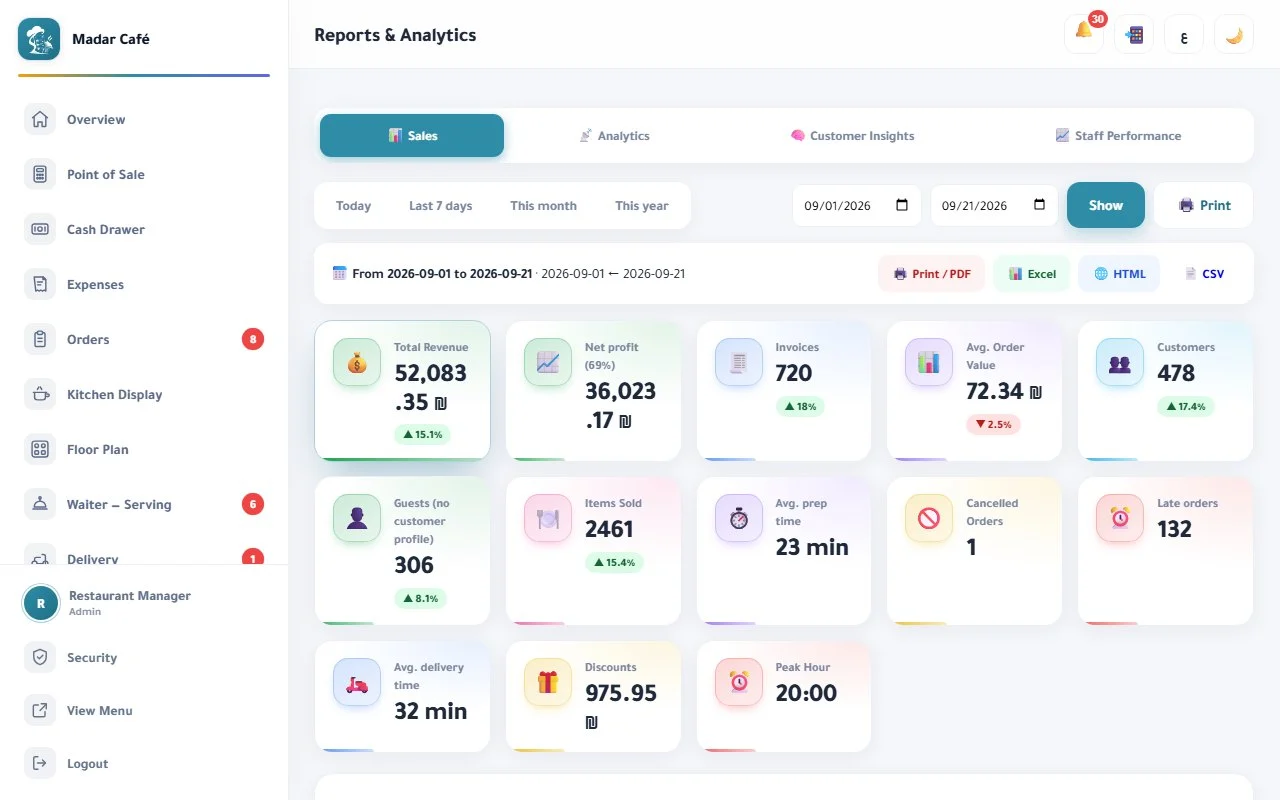
Reports for the day, week, month or any period you choose: what sells and what doesn’t, peak hours, payment methods, and staff performance.
Best and slowest sellers, and peak hours
Payment methods and each staff member's performance
Export to Excel and HTML, and print any report
With more than one branch: combined reports, shared customers and points
Some systems depend on your plan, and all of them are included in the 14-day free trial. Compare plans →
Start your free trial today
14 days with every feature, no card and no setup fees — and all it takes is three steps:
1
Message us on WhatsApp
One message about your restaurant and how many tables you have, and we’ll open a live demo for you within 15 minutes.
2
We set up your system within 48–72 hours
We enter the menu and tables for you, print the table codes, and train your team.
3
Receive your first order
Start your 14-day trial with every feature, and decide on a plan afterwards.